
Unbreakable — App Blocker & Focus
Productivity · Digital Wellbeing
Your phone.
Your limits.
Pick the apps that pull you away, choose how long to block them, and get on with your day. When you open a blocked app, you get a calm reminder instead of the feed.
Free downloadfor Android phones
1 tap
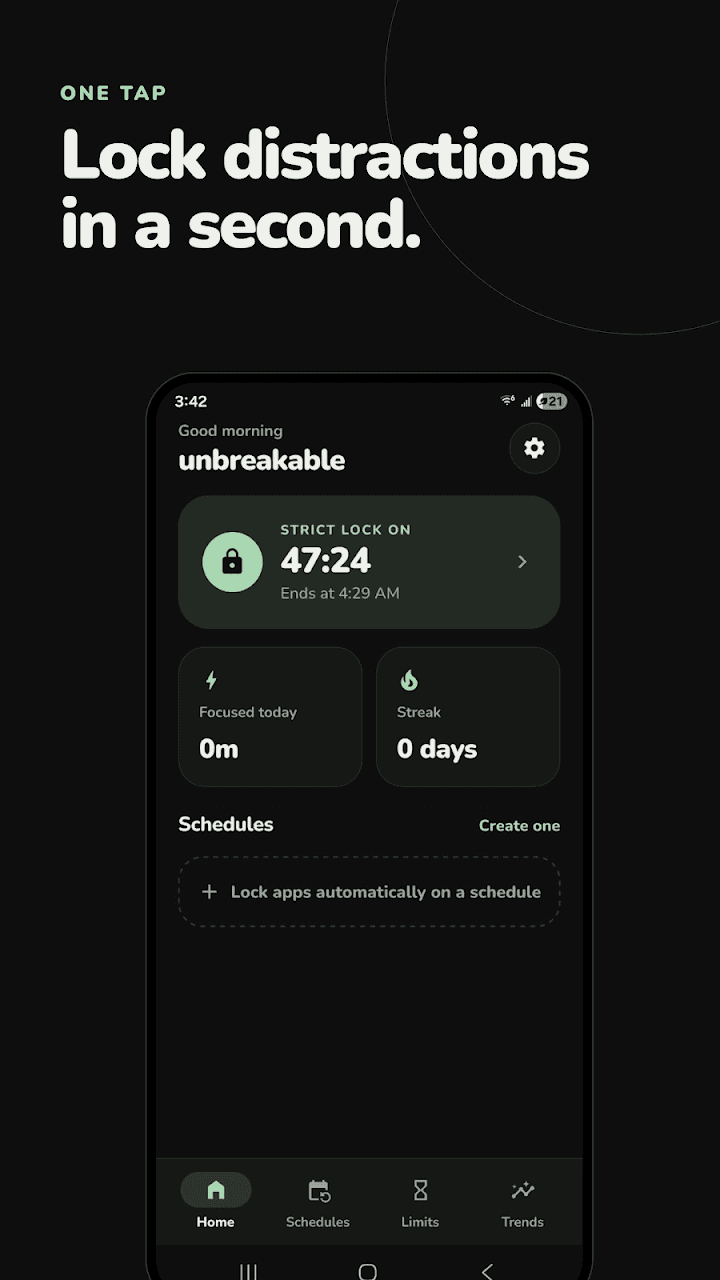
To lock distractions
100%
Data stays on your phone
0
Accounts required
Free
To get started
Everything you need, nothing you don't
Lock timer
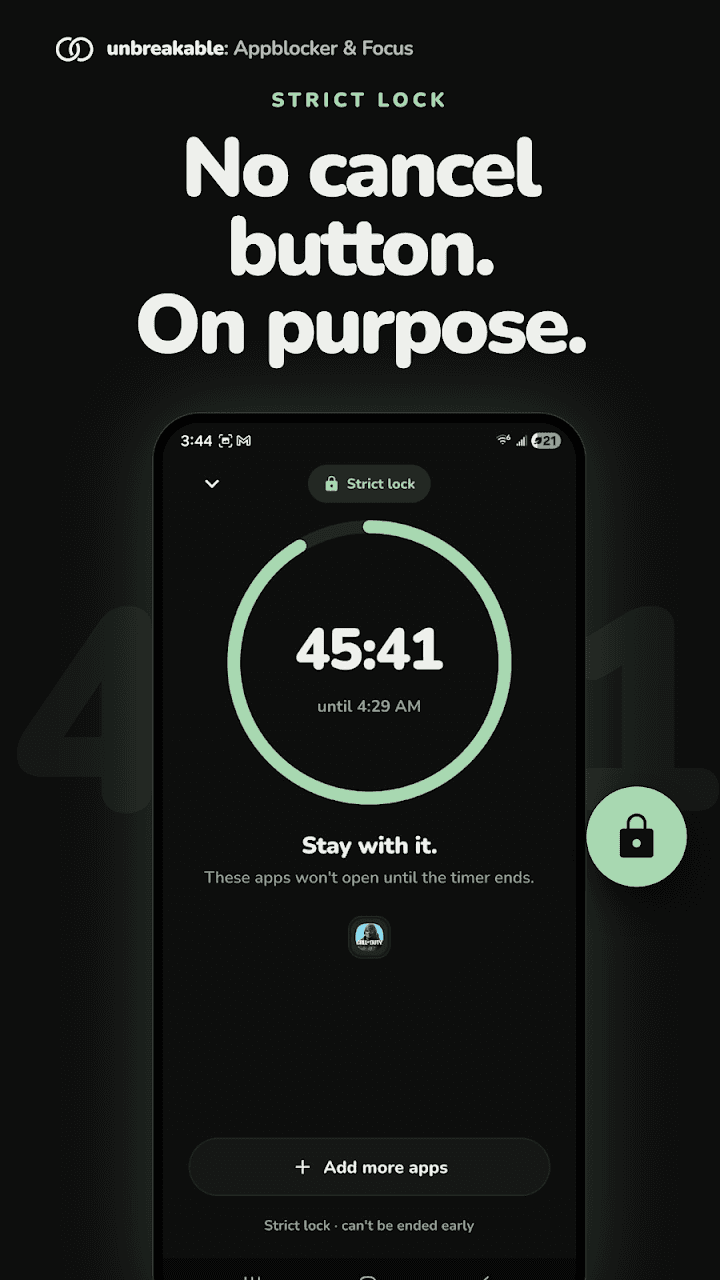
Block an app for fifteen minutes or eight hours. The countdown runs from a real clock, so restarting won't end it early.
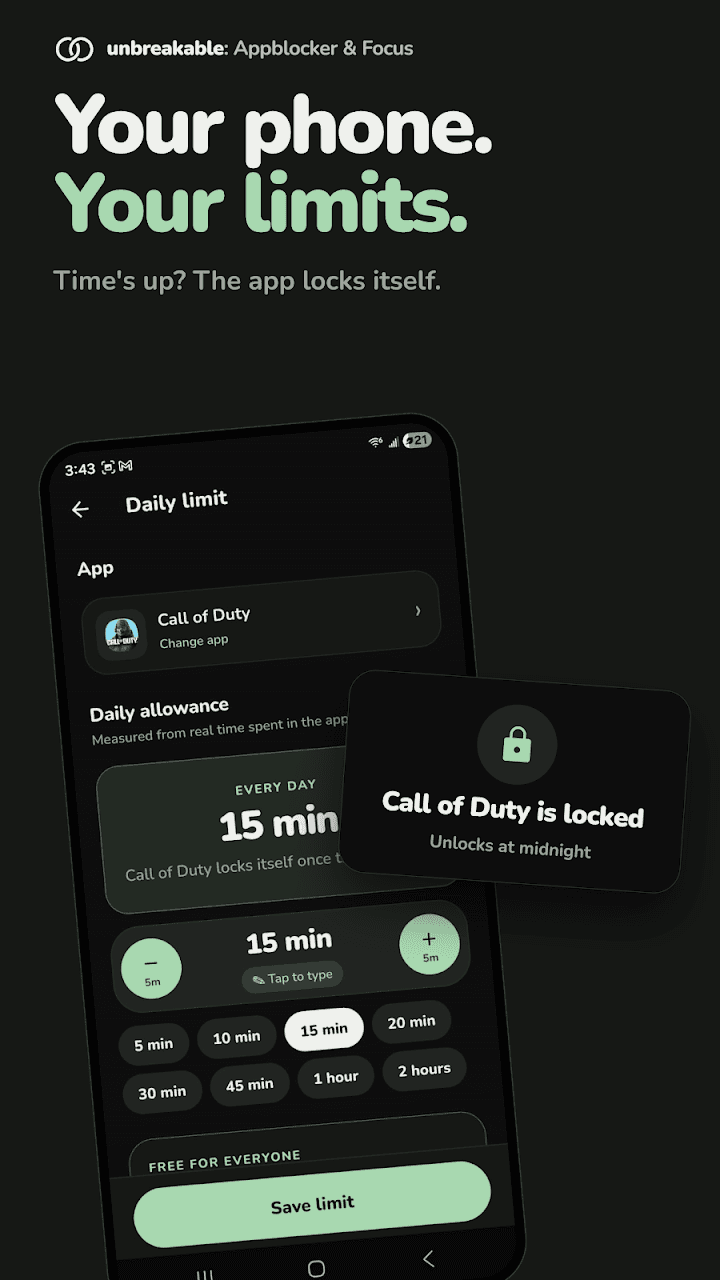
Daily limits
Give an app fifteen minutes a day. Once the allowance is gone it locks itself, and everything resets at midnight.
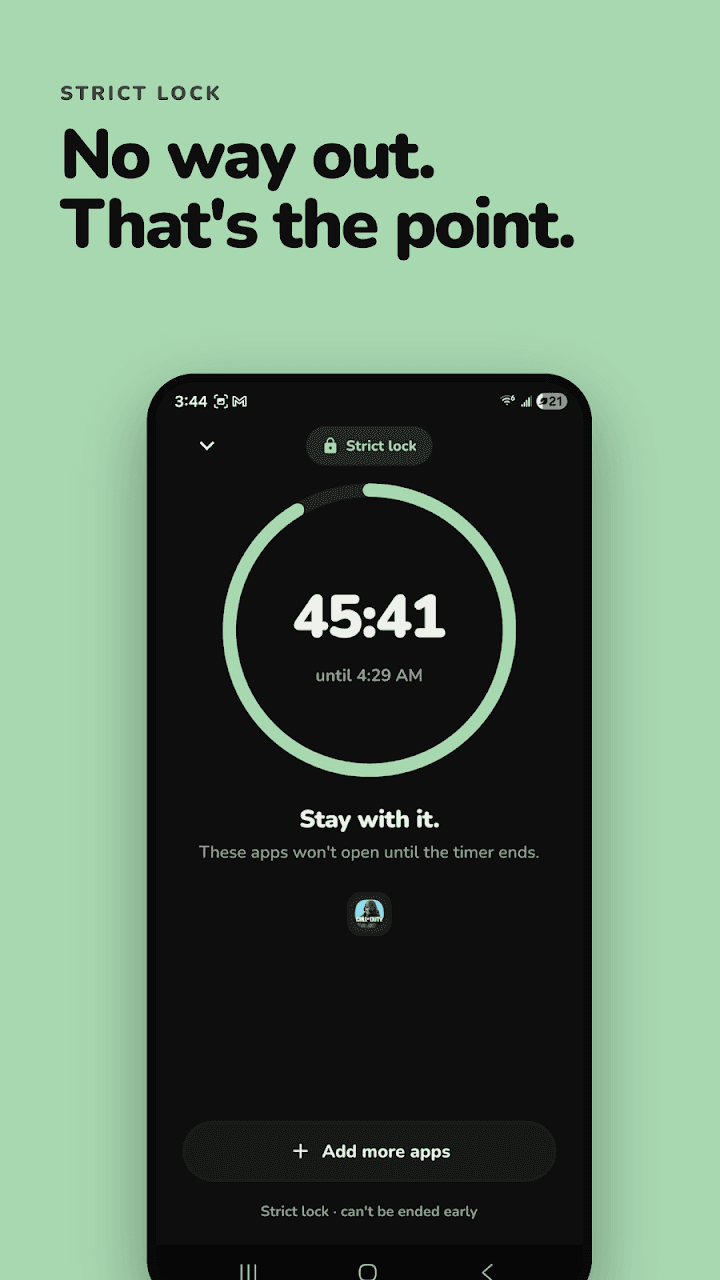
Strict Mode
No cancel button, on purpose. Turn it on and there's no extra minute or snooze to talk yourself into.
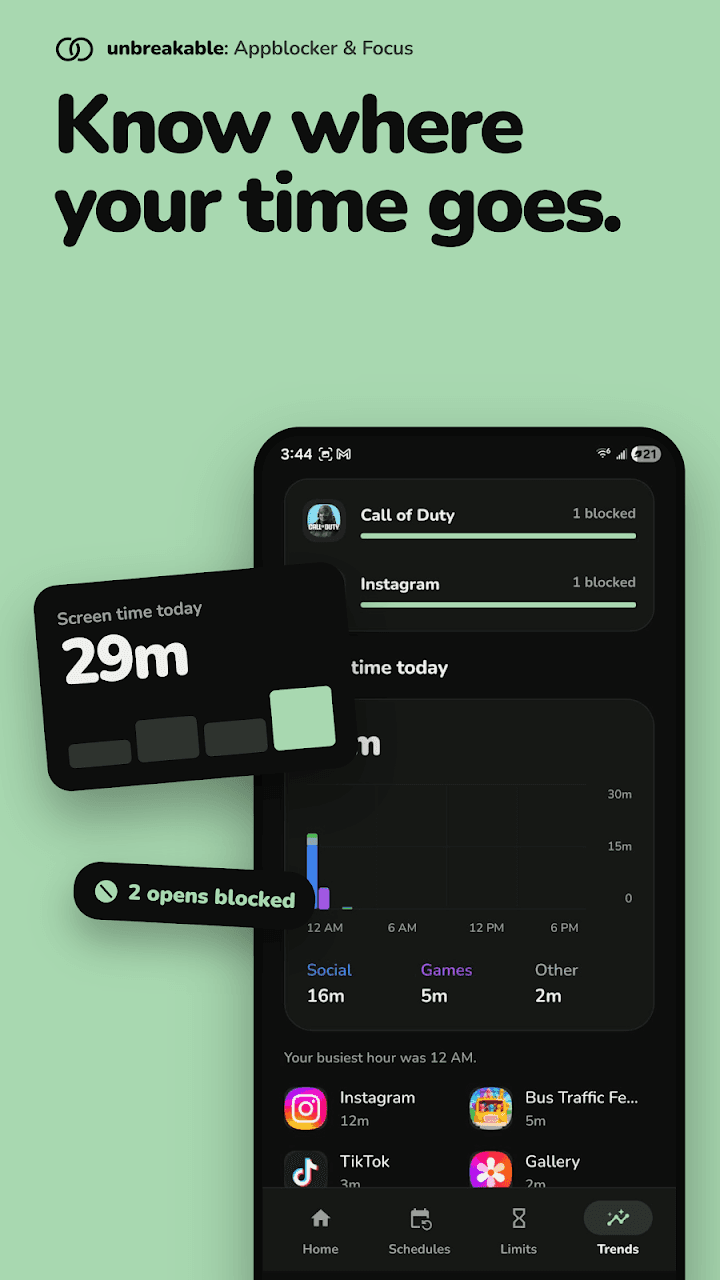
Screen time report
See your day hour by hour, grouped into social, entertainment and productivity, plus your most-used apps.
Schedules
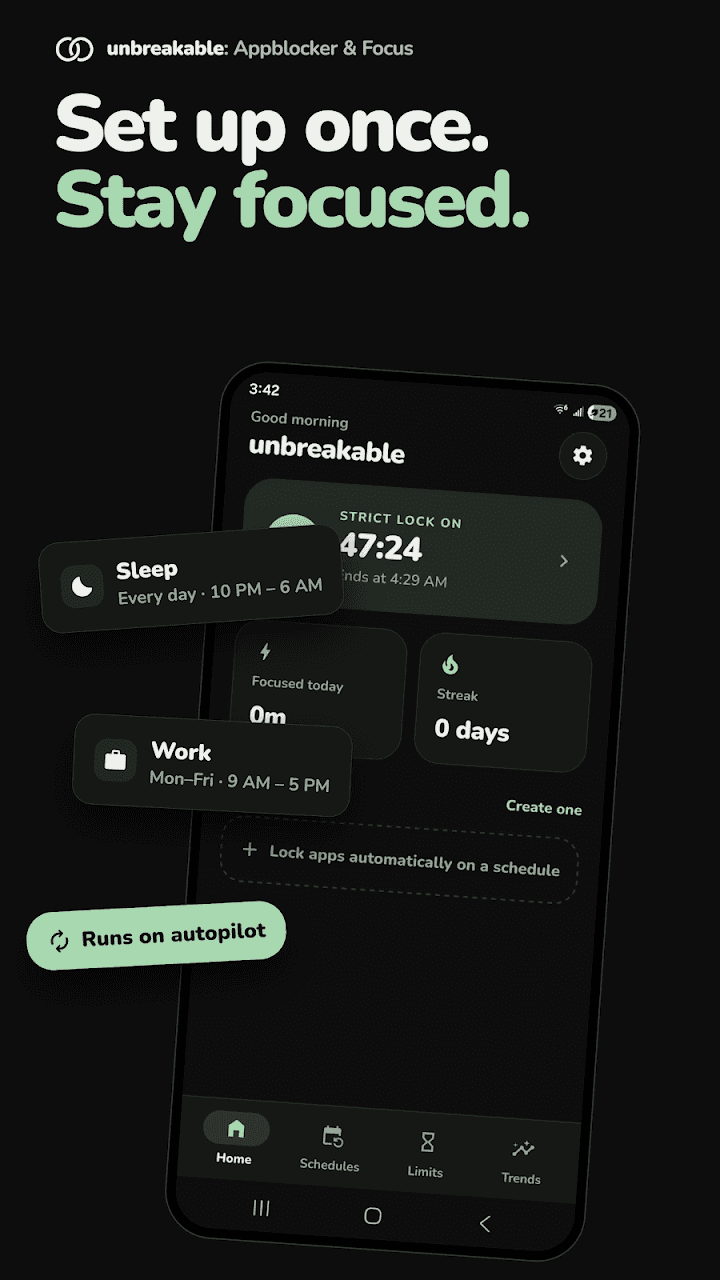
Block social apps on weeknights or during work hours automatically. Schedules survive a restart.
Honest by design
No hidden services or accessibility tricks. If Android ever stops a lock, Unbreakable tells you plainly.
Take a look inside
Up and running in three steps
Pick the apps
Choose the apps that steal your day — it takes about 30 seconds.
Set a timer, limit or schedule
Lock them now, cap them daily, or block them on a schedule.
Stay focused
Open a blocked app and get a calm reminder instead of the feed.
Start free, upgrade anytime
Subscriptions are managed through Google Play and can be cancelled anytime.
Forever
Free
- One protected app
- Any timer length
- Daily usage limits
- Screen time report
- Supported by ads
Unlock everything
Pro
- Unlimited apps
- Recurring schedules
- Strict Mode
- No ads
- Subscription follows you to a new phone
Your habits never leave your phone
Blocked apps, schedules, limits and usage figures stay on your device. No account required, no analytics, no tracking — and no server of ours for your data to go to. Usage Access reads app names and times only, never your screen contents or messages.
Outside Strict Mode you can take one more minute, a short snooze or the rest of the day. With Strict Mode on, there's no way out until the timer ends — that's the point.


